
AI TRANSCRIPT TRANSLATIONS
Read What Your Global Participants Said, In Your Preferred Language
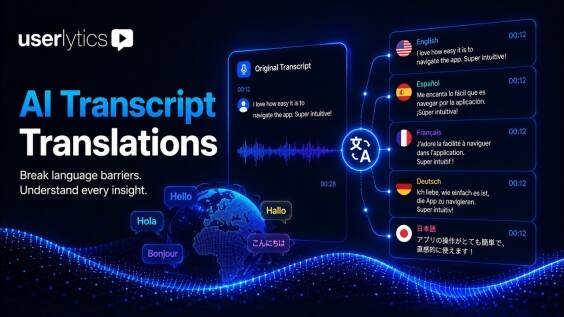
Global research shouldn’t come with language barriers. AI Transcript Translations lets you translate any session transcript into your preferred language in seconds, synced to the video, directly inside your study. There are no workarounds, no waiting on a translator, and no insights lost because a verbatim sat in a language you don’t read. You get faster analysis across every market, with the original always one click away. Just you, the research, and 15 languages you can choose from instantly.
HOW IT WORKS
Session Transcript Translation Built Into Your Research Workflow
Every Userlytics session is auto-transcribed first, with speakers identified. Once the transcript is ready, translation takes three steps
- Locate the session. Open any completed session in the Session tab.
- Choose your language. Pick from 15 languages and the translation appears instantly, synced to the video.
- Reset anytime. One click reverts to the source language to verify exact phrasing or a specific verbatim.
It all stays in one tool, so your qualitative data analysis never leaves Userlytics. No exporting audio to outside transcription software, no pasting text into a separate translator, and your whole team sees the same translation the moment it’s active.

AI Transcript Translations vs. the Workarounds
| External Translator | Copy-Paste to Google Translate | AI Transcript Translations | |
|---|---|---|---|
| Speed | Days | Minutes, but manual | Seconds |
| Synced to video | No | No | Yes |
| Shared with team | Separate file | Separate file | Native, same session view |
| Reset to original | Not possible | Manual | One click |
| Annotations linked | No | No | Yes, new annotations follow translation |
| Cost | High | Free but fragmented | Included in platform |
One Source of Truth for the Whole Team

Shared in real time
Activate translation once; every team member viewing that session sees it immediately.
Annotations preserved
Legacy annotations remain in their original language. New annotations reflect the translation, maintaining both historical accuracy and current accessibility.
Your data never trains any model
Translations are generated from your own session content. Nothing is used to retrain or improve external AI systems.
Consistent with enterprise data controls
The same security and retention policies that govern every Userlytics AI feature apply here, including GDPR, CCPA, and optional EU hosting.
Who AI Transcript Translations Is For
This feature is built for international user research and any team that works across languages. Three roles get the most out of it.
- The multi-country researcher. Run multilingual research without speaking every language in the panel. Read each session in your own language while keeping the source for verification.
- The global UX lead. Review participant feedback from any market without scheduling a translator or waiting on a turnaround, so your UX analysis isn’t gated by language.
- The agency delivering to clients. Deliver findings to a client in their preferred language while keeping the verbatim record intact.
For global UX research teams, this removes the language barrier that usually slows the analysis phase, inside the same remote usability testing platform where the sessions were run.
Frequently Asked Questions About AI Transcript Translations
GET STARTED
Global research. No language barrier. No translation vendor.
See AI Transcript Translations alongside the full Userlytics AI research toolkit.