

AI Chart Summaries: From Visualization to Interpretation, On Demand
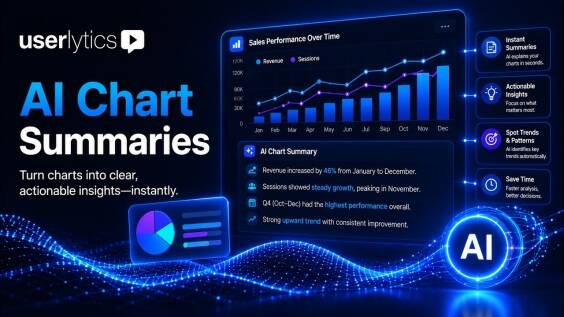
You’ve run the research and now you have data metrics: Pie charts, bar charts, scattered plots, that need to be interpreted and consolidated into insights. With AI Chart Summaries, you can now access AI-based summaries of your metrics data with one click, grounded in activity objectives, active filters and ready to copy and paste into a report the moment you need it. No more guessing, measuring or compiling data, just one detailed summary of your metrics and voila.

HOW IT WORKS
One Click Data Analytics Workflow From Chart to Interpretation
Open any supported activity in the Metrics section and click Analyze Results. AI Chart Summaries runs specialized logic for that activity type and returns a summary of what the data actually means, not a generic readout. Change your filters to “Mobile only” or “US participants” and the Refresh icon re-runs the analysis on your active data subset instantly. One Copy button puts the full narrative on your clipboard, ready for stakeholder reports, repositories, or executive decks.
Data Analysis Tailored to Each Activity Type
AI Chart Summaries supports Write-In, SUS, Card Sorting, Tree Testing, Single/Multi-Choice and Rating, and NPS activities. Each uses an analytical approach matched to what that data measures, so the survey data analysis reflects the method, not a one-size-fits-all template.
For a System Usability Scale study, it reads the SUS survey results and points to which questions drag the score down. For NPS analysis, it places the Net Promoter Score in context and flags the distribution behind it. Card Sorting summaries show how participants grouped items and where that clashes with your structure. Tree Testing pinpoints where users lost the path, and Write-In handles the open-text quantitative data analysis that eats the most analyst time, clustering responses into themes you can name.
This is where knowing how to analyze survey results stops being manual. The model does the descriptive pass and theme detection and you decide what holds up.

YOU ARE IN CONTROL
Human Triggered by Design
AI Chart Summaries are human-triggered by design. The AI runs only when you ask it to, on the data subset you’re actively viewing. You can review the results yourself or have the AI get you started.
Your data never trains any model
Summaries are generated from your study data and nothing more.
You control the switch
AI Chart Summaries runs only on demand. No background processing, no unsolicited interpretation.
Dynamic filter awareness
Filter by device, country, or segment and the summary re-runs on exactly the data you’re viewing.
Consistent with enterprise data controls
The same security and retention policies that govern every Userlytics AI feature apply here.
Built for Every Team

Research Teams
You run studies with many quantitative activities, and summarizing every chart by hand is slow and error-prone. AI Chart Summaries drafts the first interpretation, specialized per activity type.
Product Managers
You read research outputs but can’t always decode a Card Sorting heatmap or a SUS breakdown. AI Chart Summaries gives you the finding in plain language, no meeting required.
Research Ops
Whoever ran the study, the summary holds one consistent standard. AI Chart Summaries keeps interpretation quality steady across the whole team.
Frequently Asked Questions About AI Chart Summaries
GET STARTED
Less time interpreting metrics and more time making decisions.
See AI Chart Summaries alongside the full Userlytics AI research toolkit.