




AI Moderation lets you add AI-powered follow-up questions to individual activities in an unmoderated Userlytics study. When a participant responds to an activity, AI Moderation can evaluate that response against a research objective you define and ask a relevant follow-up question in the moment.
This allows you to explore the why behind a participant’s initial response without turning the study into a moderated session. You decide which activities use AI Moderation and what each follow-up should help uncover.
Enable AI Moderation for an Activity
AI Moderation is configured activity by activity, rather than automatically across the entire study. This gives you control over where additional probing is useful.
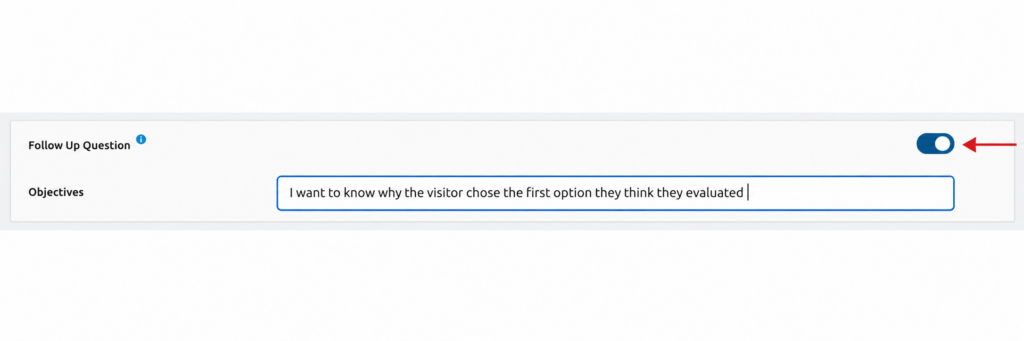
Open the activity where you want AI Moderation to ask a follow-up question and turn on the Follow Up Question toggle. Once enabled, an Objective field appears below it.
In this field, describe what you want the AI to understand or explore based on the participant’s response.
For example:
“I want to know why the tester chose the first action they think they would take.”
You do not need to write technical prompts, build conditional logic, or create your own question tree. Write the objective in plain language and focus on the insight you want to uncover.
Write a Clear Research Objective
The objective gives AI Moderation the context it needs to determine an appropriate follow-up question.
Try to make the objective specific to the activity. Instead of simply asking the AI to “learn more,” describe the reason you want to probe the participant’s answer.
For example, if an activity asks a participant which option they prefer, the objective could focus on understanding why they made that choice, what influenced their decision, or what associations they have with the selected option.
The clearer the objective, the better positioned AI Moderation is to ask a follow-up that supports your research goal.
What Participants Experience
Participants continue through the unmoderated study normally. They do not need to open another tool or move into a separate AI experience.
After the participant responds to an activity where AI Moderation is enabled, the system evaluates their response against the objective you defined. When appropriate, it can then ask an additional contextual question within the activity.
The follow-up is presented as an AI follow-up question, making it clear to the participant that the additional prompt was generated by AI.
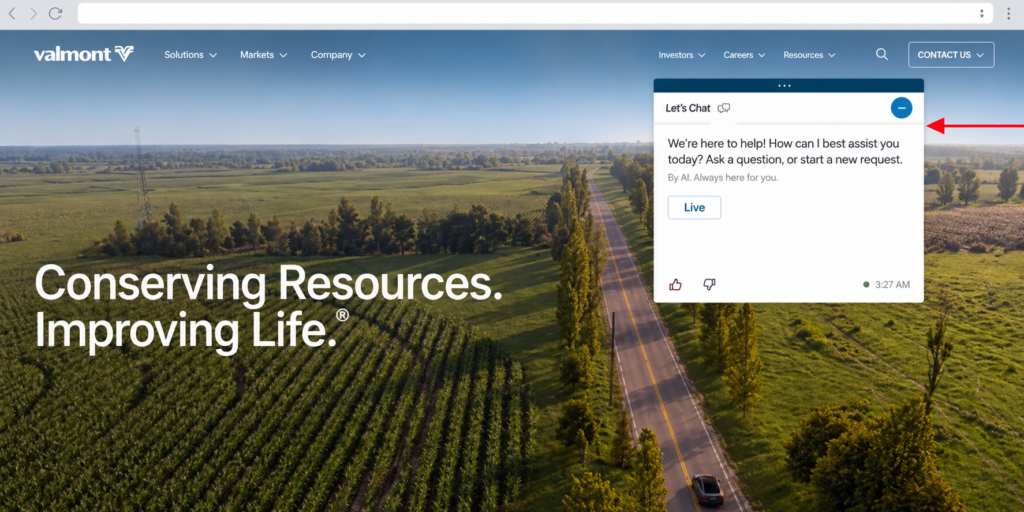
This allows additional probing to happen while the participant’s original answer and experience are still fresh.
How AI Follow-Up Questions Stay Focused
AI Moderation is not intended to behave like a general-purpose chatbot. The follow-up is connected to the activity and research objective you configured.
For example, a participant might initially say:
“I like the blue.”
A relevant follow-up could explore the reasoning behind that reaction:
“What draws you to that color? Does it bring anything to mind — a place, a person, a moment?”
The participant might then explain:
“It reminds me of my old bank’s logo — it feels trustworthy.”
The first answer communicates a preference. The follow-up adds the context behind it, giving researchers a deeper understanding of the participant’s reaction.
Using AI Moderation in Different Languages
AI Moderation asks its follow-up questions in the language in which the study is configured.
This allows the follow-up interaction to remain consistent with the rest of the participant experience without requiring a separate translation step for the AI conversation.
Reviewing AI Follow-Up Responses
AI-generated follow-ups remain connected to the activity that triggered them.
You do not need to navigate to a separate AI Moderation section or review an additional questionnaire at the end of the study. When analyzing the original activity, the additional response from the AI follow-up remains associated with that activity in the original transcript.
This keeps the participant’s original response and the additional context together during analysis.
AI Moderation Workflow
The process is straightforward:
- Choose an activity where additional participant context would be valuable.
- Turn on Follow Up Question.
- Enter an Objective describing what you want to understand.
- The participant completes the activity normally.
- AI Moderation evaluates the response against your objective and can ask a relevant follow-up question.
- The participant answers the follow-up within the study.
- Review the additional response together with the original activity during analysis.
Staying in Control of AI Moderation
AI Moderation does not need to be enabled for every activity.
You decide exactly where additional probing supports your research goals and where the standard activity is sufficient. Different activities can therefore use different objectives, while other activities can remain unchanged.
The researcher defines what should be explored. AI Moderation handles the contextual follow-up. The final study design remains under your control.