




The Qualitative Report is an AI-powered synthesis tool that turns completed qualitative research into a structured, shareable report. Instead of manually reviewing every transcript and bringing findings together one session at a time, the Qualitative Report analyzes information across the study to identify recurring patterns, supporting evidence, and actionable insights.
The analysis is grounded in your research context, including your Study Goals, Session Summaries, raw Transcriptions, and manual Annotations. This helps keep the final synthesis aligned with what the study was designed to investigate rather than simply summarizing individual participant responses.
The generated report organizes the research into four main areas: Executive Summary, Key Findings, Strategic Areas, and Recommendations.
Before Generating Your Qualitative Report
The Qualitative Report becomes available once all sessions in the study have been completed and processed.
You do not need to manually combine the information from each session beforehand. As your study progresses, Userlytics processes the session data in the background. When the study is ready, open the Report section from the study navigation.
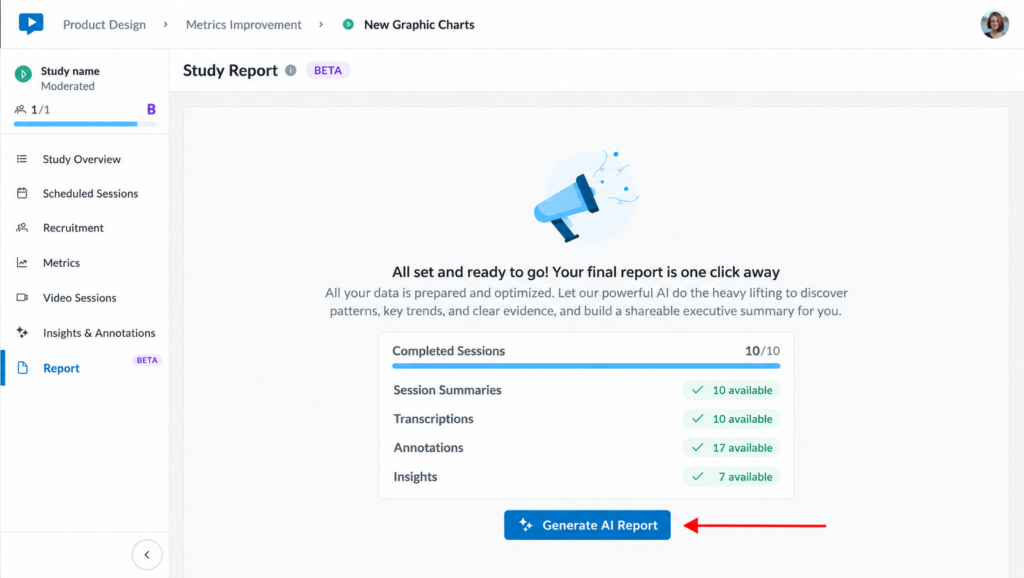
The Report page shows the completed sessions and the research material currently available, including Session Summaries, Transcriptions, Annotations, and available Insights. Once everything is ready, the Generate AI Reportbutton becomes available.
How to Generate a Qualitative Report
Once all sessions have been completed and processed, select Generate AI Report.
This starts the AI analysis across the completed research. There is no need to manually combine the different sessions or copy information into another tool.
After generation begins, Userlytics starts gathering and analyzing the study information. The process may take several minutes depending on the amount of research data available.
You can navigate away from the Report page while the analysis is running. Userlytics will notify you through the Study Overview when the report is ready.
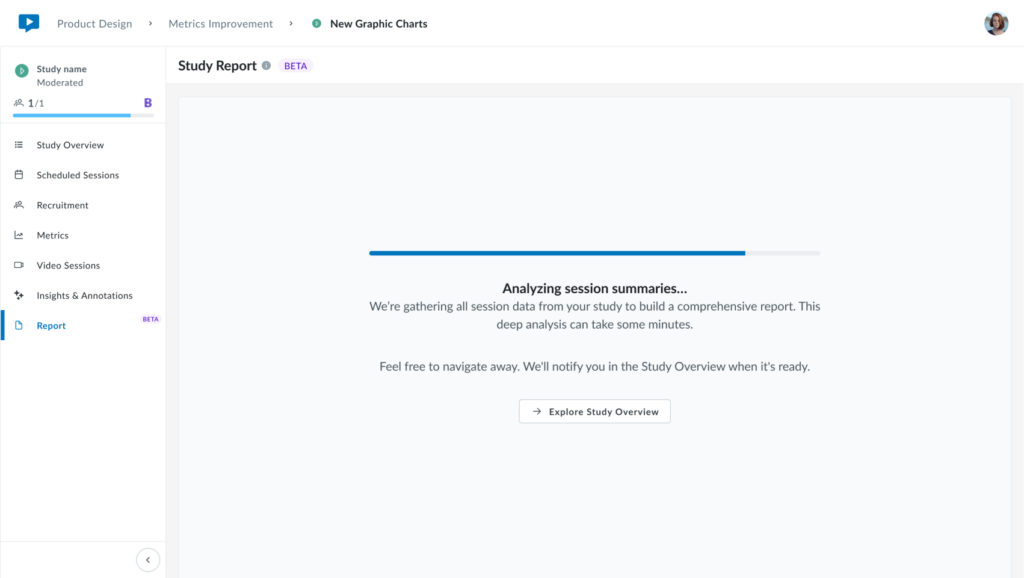
During this stage, the AI cross-references the available research data across sessions. Rather than treating each session independently, it looks for patterns and relationships across the study while keeping the analysis connected to the original Study Goals.
The analysis considers:
- Study Goals
- Session Summaries
- Raw Transcriptions
- Manual Annotations
This cross-session synthesis helps distinguish recurring findings from isolated comments and provides the evidence used to construct the final research narrative.
Reviewing Your Generated Qualitative Report
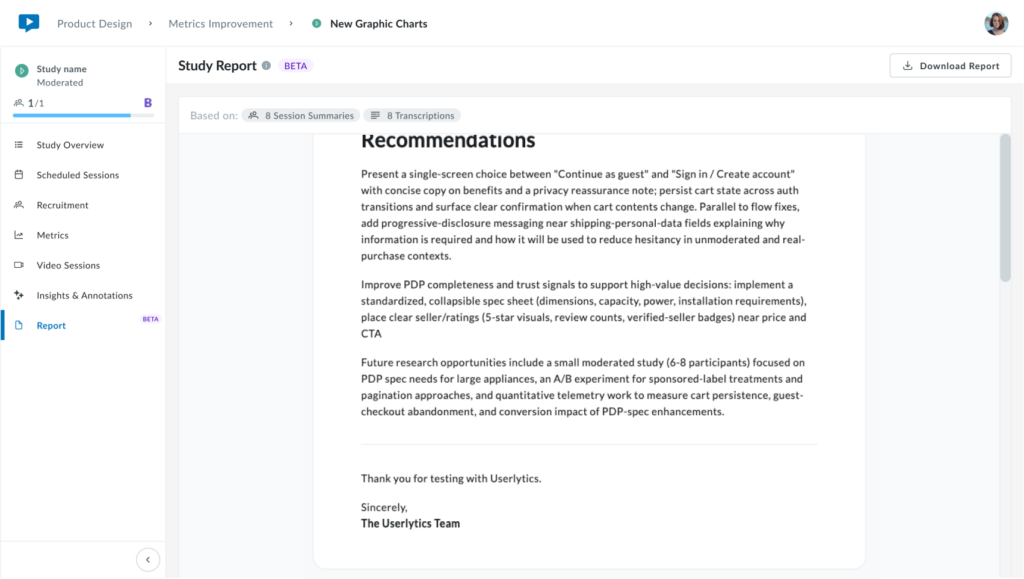
Once the analysis is complete, return to the Report section. The generated Qualitative Report is displayed directly inside Userlytics and can be reviewed before it is shared or downloaded.
At the top of the report, you can also see information about the study material on which the analysis was based.
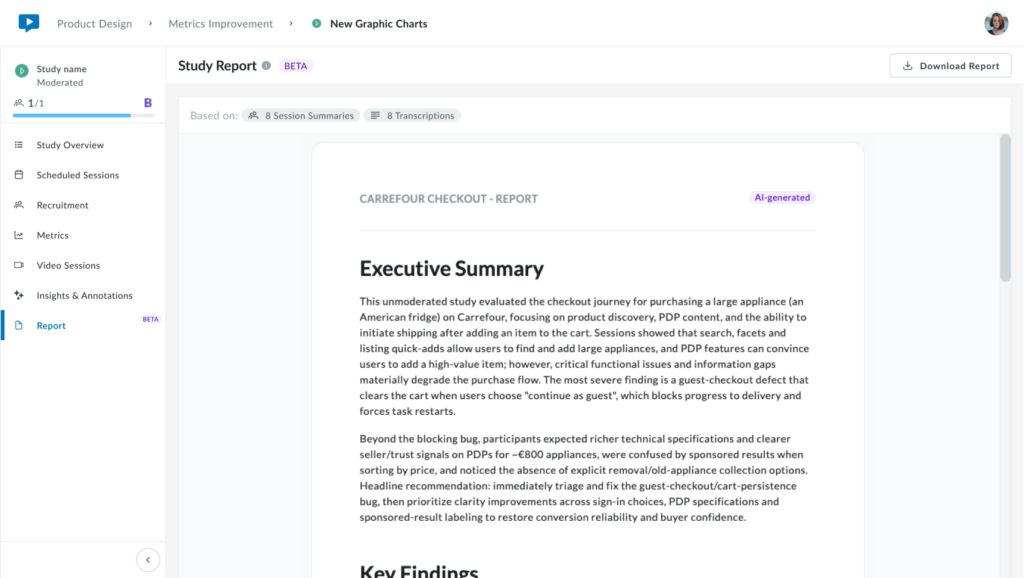
The report is organized into four main sections.
Executive Summary
The Executive Summary provides a concise overview of the most important conclusions from the study. It is designed to give stakeholders a quick understanding of what happened across the research without requiring them to review every individual session.
This is a useful starting point when communicating findings to product teams, leadership, or other stakeholders who need the overall research story first.
Key Findings
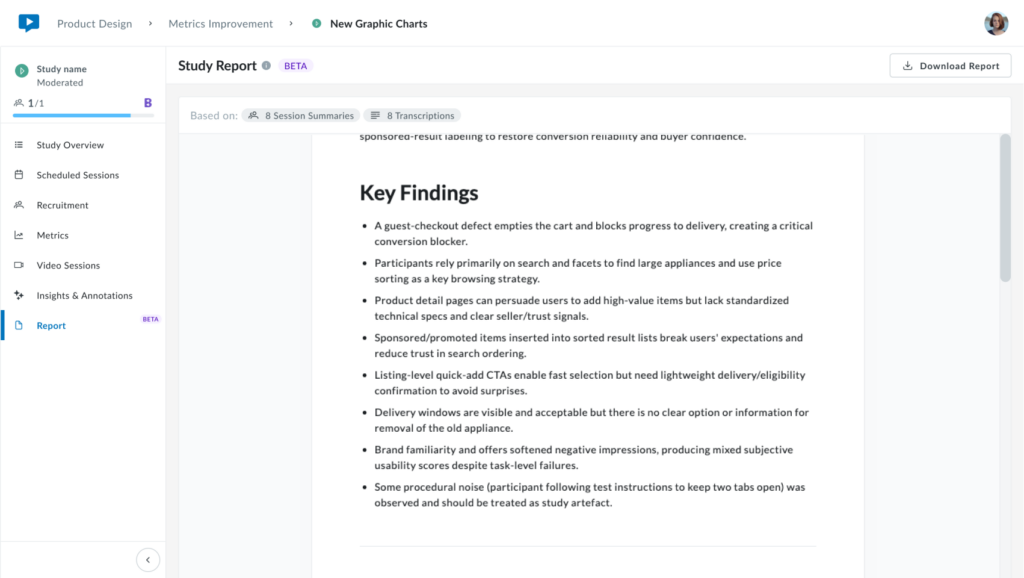
The Key Findings section presents the main patterns and recurring observations identified across the completed sessions.
These findings are displayed in a scannable format so you can quickly identify the most important usability issues, participant behaviors, expectations, or recurring themes that emerged from the research.
Strategic Areas
The Strategic Areas provide deeper analysis around specific questions or themes identified during the synthesis.
This section adds more context around important findings and connects them with supporting evidence from the study. It is intended for situations where you need to move beyond the high-level findings and understand the broader implications of the research.
There is no dedicated Strategic Areas screenshot in the current image set, so this section can be explained without an additional image.
Recommendations
The Recommendations section translates the research findings into potential next steps.
These recommendations are derived from the patterns identified during the analysis and can highlight areas for product improvement, usability changes, prioritization, or additional research.
They are intended to provide a practical starting point for turning the qualitative findings into action.
Downloading Your Qualitative Report
Once the report has been generated, select Download Report to save a copy for use outside Userlytics.
The generated report can be downloaded in:
- DOC
This makes it easier to share the research with colleagues, stakeholders, or other teams that may not be working directly inside the Userlytics platform.
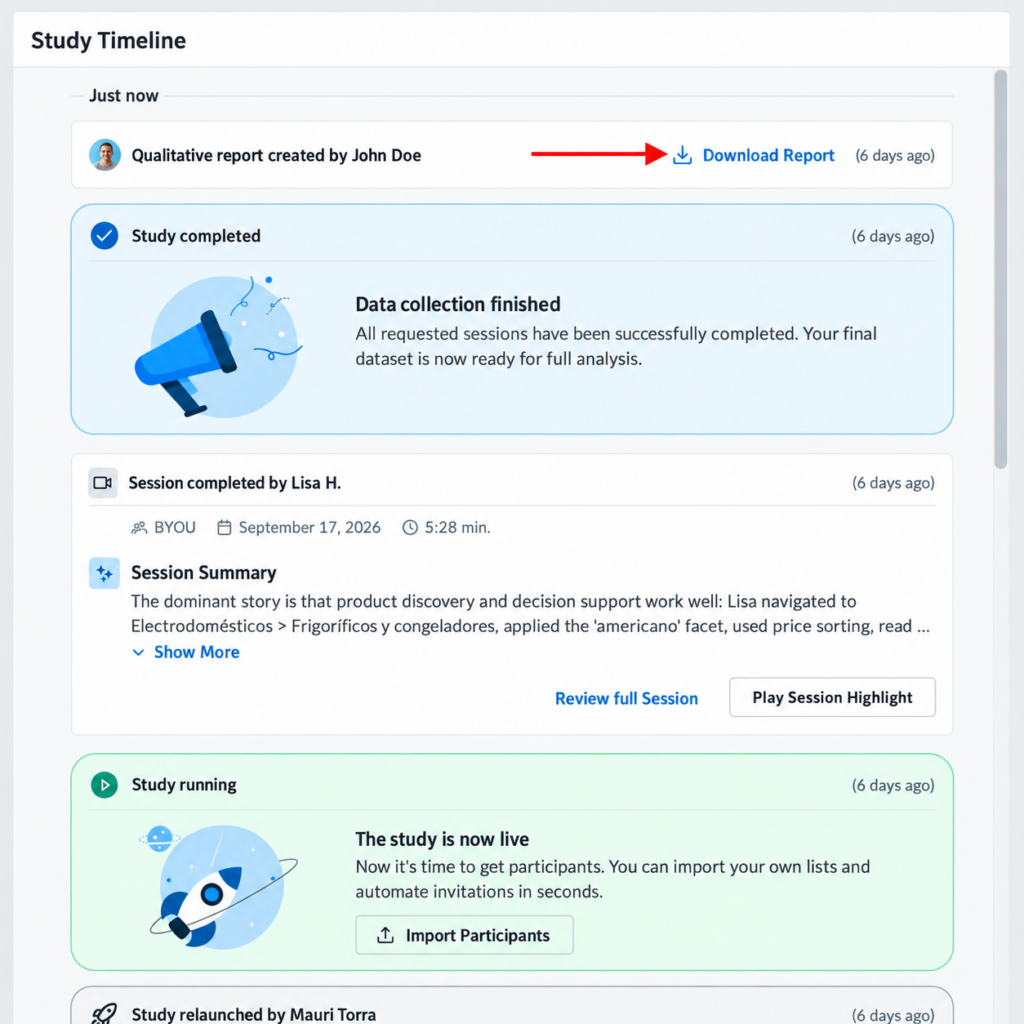
The completed Qualitative Report also appears in the Study Timeline, where you can see when it was created and access the report again.
Using the Qualitative Report in Your Research Workflow
The Qualitative Report is designed to reduce the manual synthesis required after qualitative research while keeping the analysis connected to the original purpose of the study.
Instead of manually working through hours of transcripts, session summaries, and notes to identify recurring themes, you can use the AI-generated report as a structured foundation for your analysis.
A typical workflow is:
Complete study sessions → Allow study data to process → Generate the Qualitative Report → Review the findings → Download and share
The AI handles the cross-session synthesis, while you remain responsible for reviewing the findings and deciding how they should inform your research and product decisions.
The result is a report that moves from a high-level Executive Summary, through the core Key Findings and deeper Strategic Areas, to actionable Recommendations—all based on the qualitative evidence collected during the study.